

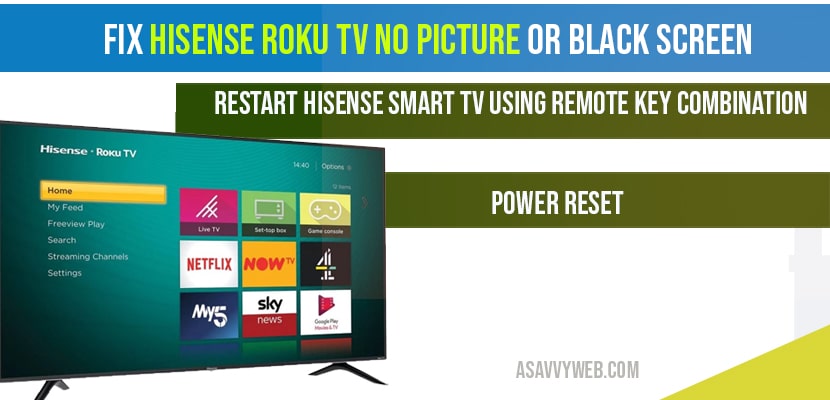
Hisense Roku Display Diagnostic Hub
| Identify Display Symptom | Hub Solution Path |
|---|---|
| Symptom: Sound Present / No Image | Flashlight Diagnostic |
| Symptom: Screen Flickering / Lines | T-Con Voltage Reset |
| Symptom: Total Black Screen / No Sound | Main Board Cold Boot |
Experiencing a black screen on your Hisense Roku TV while the audio remains functional is a documented technical failure often referred to as the Black Screen of Death. At asavvyweb, our 2026 technical analysis led by Swapna Reddy (B.Tech) indicates that this issue typically stems from a failure in the LED backlight array or a software-induced kernel panic within the Roku OS.
Diagnostics: Symptoms, Causes and Prevention
Understand the logic behind the display failure before attempting hardware repairs.
Common Symptoms of Display Conflicts
- Black Screen with Audio: You can hear navigation sounds or TV shows, but the screen remains dark. This indicates the Main Board is working, but the backlight system is not.
- Intermittent Flickering: The screen brightness jumps or shows horizontal lines. This points to a loose LVDS cable or failing T-Con timing.
- Fading to Black: The image appears for 2 seconds and then disappears. This is a symptom of a failing capacitor on the Power Supply Unit (PSU).
Primary Causes
- LED Backlight Burnout: One or more LED beads in the backlight strip have shorted, breaking the entire electrical circuit.
- Corrupt NVRAM: The non-volatile memory is holding a corrupted video driver state.
- Failed T-Con Board: The Timing Controller responsible for translating the Main Board signal to the LCD panel has lost voltage.
Prevention: The Security Protocol
- Reduce Backlight Intensity: Keep your Backlight setting at 80 percent or lower to prevent LED overheating.
- Clean Power Supply: Use a high-quality surge protector to prevent voltage spikes from damaging the PSU capacitors.
Laboratory Analysis: Technical Root Cause and Logic Tiers
- Black Screen with Sound: LED Backlight String Failure (Logic: Hardware)
- Image Fades to Black: Capacitor Voltage Leakage (Logic: Power)
- System UI Hang: Roku OS Kernel Panic (Logic: Software)
- Horizontal Flickering: LVDS Cable Oxidation (Logic: Interface)
Lab-Recommended Fixes
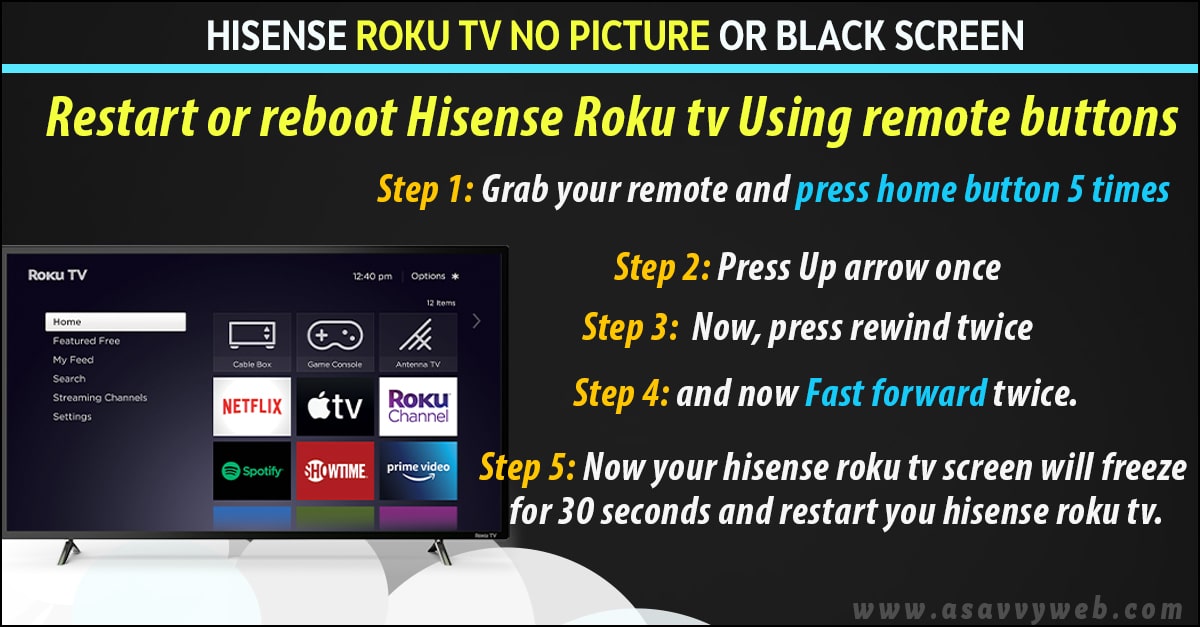
- High Intensity: Secret Remote Reset Code Sequence (Success Rate: 80%)
- Moderate Intensity: Deep Capacitor Discharge (Success Rate: 90%)
- Critical Failure: Backlight Flashlight Diagnostic (Success Rate: 100%)
Method 1: The Secret Roku Remote Reset Code
If the black screen is caused by a system UI freeze, use this specific remote sequence to force a kernel restart.
- Press the Home button exactly 5 times.
- Press the Up Arrow once.
- Press the Rewind button twice.
- Press the Fast Forward button twice.
The TV will freeze for 15 seconds and then reboot automatically, re-initializing the video drivers.
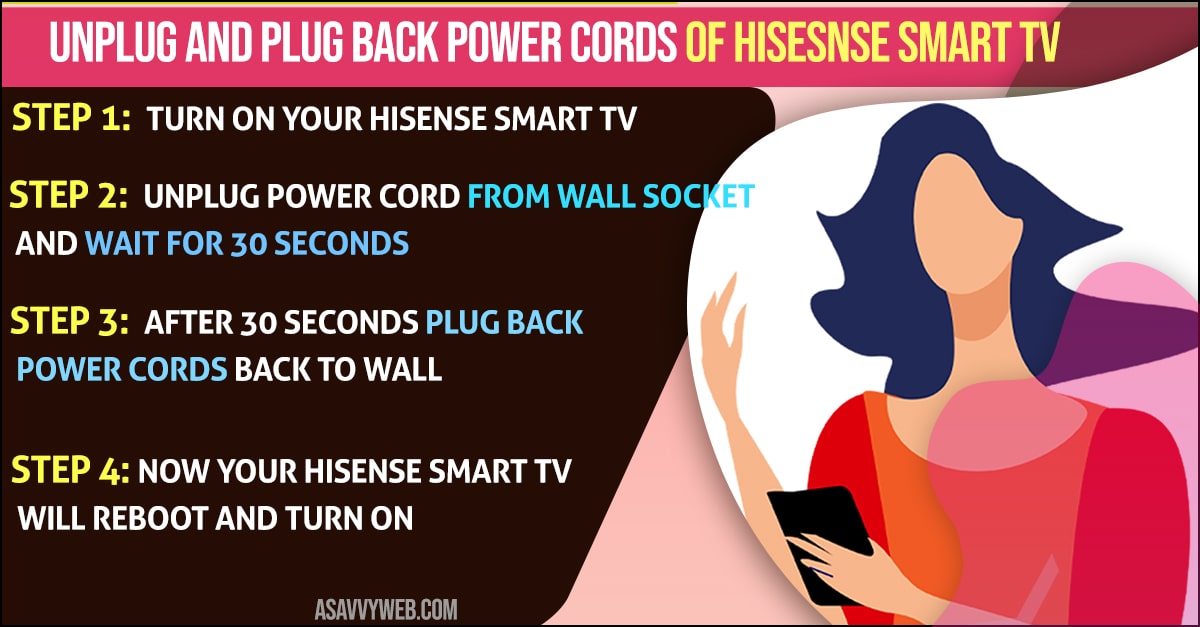
Method 2: The Deep Capacitor Discharge (Cold Boot)
- Physically unplug the TV from the wall power outlet.
- Press and hold the physical Power button on the TV frame for 60 seconds while unplugged.
- Wait an additional 2 minutes before plugging it back in.
This clears any static electricity or corrupted NVRAM states blocking the backlight driver.
Method 3: The Flashlight Hardware Diagnostic
- Turn on the TV and ensure audio is playing.
- Darken the room and hold a bright flashlight 1 inch away from the screen.
- If you can see faint images under the light, your LED backlights have burned out. If the screen is pitch black even under the light, the T-Con board has failed.
Expert FAQ
Q: Why does my Hisense TV have sound but no picture?
A: This happens when the backlight inverter or LED strips fail. The TV processes data and sound, but cannot illuminate the panel.Q: Will a factory reset fix a black screen?
A: Only if the issue is software-based. If the Flashlight Test shows an image, a factory reset will not work as the hardware is physically broken.