

Seeing a Samsung Smart TV screen where one side is darker than the other is a frequent hardware anomaly. At asavvyweb, our technical lab led by Swapna Reddy (B.Tech) has categorized these issues into three specific failure points: LED Backlight burnout, T-Con board timing errors, and LVDS cable oxidation.
🔬 Samsung Panel Logic Diagnostic
| 🔴 Identify Screen Symptom | 🔵 Hub Solution Path |
|---|---|
Left/Right Half Dark Half the screen is dim or black. |
Flashlight Diagnostic |
Double Image / Ghosting Vertical overlap or blurry motion. |
Clean LVDS Pins |
Red Solarization Colors look metallic or “heat map” style. |
T-Con Voltage Check |
If your screen is dark on one side, it rarely indicates a software bug. Instead, it signals that the voltage delivery to the internal LED strips or the communication between the Main Board and the LCD panel has been interrupted. Use our verified 2026 diagnostic steps below to identify the root cause.
Below are the fixes for Samsung smart tv darker than the other one side, ghosting image or double image vertically or horizontally, half of the screen has a red solarization effect and also most common issues like, led goes blank or led not connecting to WIFI and cause of Samsung smart tv led screen issues.
The Technical Causes of Screen Darkness
The dark shadow on your Samsung TV usually stems from one of three engineering failures:
- Thermal Stress: Over time, the LEDs inside Edge-Lit Samsung models overheat, causing the plastic diffuser to melt or the LED circuit to break.
- Voltage Surges: A spike in the Power Supply Unit (PSU) can blow the fuse for one specific LED channel, leaving half the screen unpowered.
- COF Bonding Failure: The Chip-on-Film (COF) connectors that link the glass panel to the source drivers can detach due to heat, leading to black vertical bars or darkened halves.
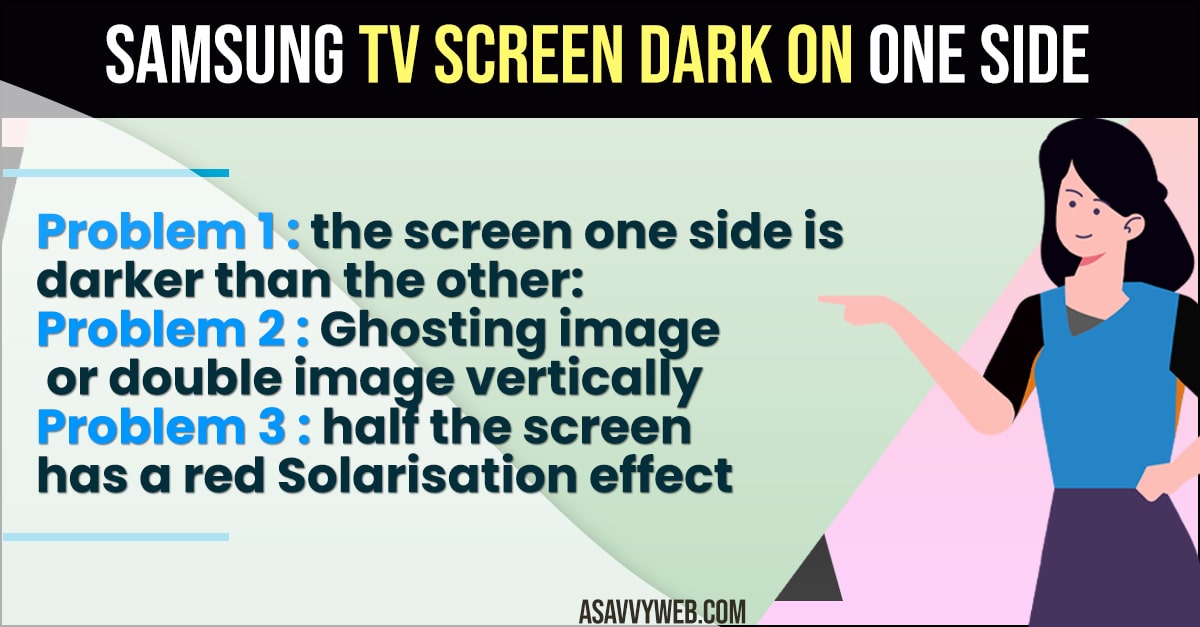
Visual Symptoms to Watch For
- Vertical Dimming: The left or right 50 percent of the screen is dark, but the menu is still visible.
- Corner Shadows: A dark patch in the bottom or top corner, indicating a single LED bead has shorted out.
- Thermal Spotting: Small white bright spots (Lenses falling off) or dark blue patches (LED phosphors burning out).
Method 1: The Flashlight Diagnostic (Backlight vs. Panel)
Before assuming your screen is broken, you must isolate the backlight from the liquid crystal display.
- Turn on the TV and tune it to a channel with a clear image.
- Darken the room completely.
- Hold a bright flashlight 1 inch away from the dark side of the screen.
- Look closely for movement or text behind the glass.
Logic: If you can see a faint image, your LCD panel is working, but your LED Backlight Strips have failed.
Method 2: LVDS and FPC Cable Pin Cleaning (Fix for Ghosting)
If your screen displays a double image or red solarization on one side, the problem is often oxidation on the contact pins.
- Unplug the TV and remove the back panel screws.
- Locate the wide ribbon cables connecting the Main Board to the T-Con board.
- Use a soft white pencil eraser to clean the golden pins on the cable ends.
- Reseat the cables firmly and lock the tabs.
Method 3: The Tape-Cut Method (Advanced Technician Secret)
If cleaning the cables fails and your screen has a double image or horizontal lines, a short circuit exists inside the LCD glass.
- Locate the two ribbon cables going from the T-Con board to the panel.
- Unplug one cable. If the other side of the screen becomes clear, that side has the short.
- Place a tiny 2mm piece of clear scotch tape over the Clock Signal pins (usually pins 1-12 on the side of the cable).
- Reinsert the cable. This blocks the shorted signal and allows the other side of the board to drive the whole panel.
Method 4: Addressing Power Supply Capacitor Bloat
If your Samsung TV shows horizontal lines during startup that disappear after the TV warms up, the Power Supply Unit (PSU) is at fault. Inspect the yellow board for capacitors with bulging tops. When these fail, they cannot provide stable voltage to the LED backlights until they reach a thermal threshold.
Method 5: Fixing Audio IC and WiFi Failures
If the internal speakers fail but a soundbar works, the Audio IC on the motherboard has likely shorted. If your TV cannot find networks, the WiFi module at the bottom of the frame has likely disconnected or failed due to heat.
Expert FAQ for Samsung Display Issues
Q: Can I keep watching the TV if one side is dark?
A: It is not recommended. A shorted LED strip draws more current, which can eventually cause the Power Supply Unit to overheat and fail completely.
Q: Is it cheaper to fix the LEDs or buy a new TV?
A: LED strip replacement costs between 150 and 250 dollars at a repair shop. If the TV is older than 5 years, a replacement is often more cost-effective.
Q: Why did my Samsung TV get a blue tint on the dark side?
A: This happens when the yellow phosphor coating on the LED beads burns off, exposing the raw blue LED light underneath. This is a sign of total backlight failure.
Most common problems with LED TV Samsung
Below are the most common problems with Samsung led tv screen
Problem 1 : LED TV screen goes blank
# in the case, most probably the power supply unit inside the led tv has issues .
# the power supply unit is responsible for receiving current and sending it to all the components of the led tv .
# the power supply unit develops issues due to a sudden surge in input supply.
# usually, the capacitor on the power supply boards fail.
# if you disassemble the led tv set, you could verify this by spending a leaking or bulging capacitor.
# these problems are common in modern LED televisions and the repair work is fairly simply and quick.
# it is recommended to find a technician as replacing the capacitor would require soldering skills.
Problem 2 : LED TV has horizontal lines on Start – up
# in this case, the root of the problem is low signal strength in the set – top box cable that is connected to the led tv .
# this problem might not show up if you plug that set – top box to an old television.
# the reason for this is that older tv sets required lower input strength to work.
# with the modern led TVs set it’s not the case.
# they require stronger input signals.
# thus, switching to an HD set – top box will most probably rectify the problem.
Problem 3 : LED TV with no sound output
# disconnect the led tv from the AG power , then press and hold the power button on the led tv ( not the remote ) for 10 seconds.
# after waiting for a minute, connect the tv set back to AG supply and press power button once.
# then try out other “ sound out” from ypur tv to a set of speakers.
# if the speaker work, clearly the internal tv speaker are not working.
# if it does not, it is most likely that the audio IC that drives the internal speakers has failed.
# it is common in these sets as they use inexpensive low powered amplifier ICs that hear up and fail.
# a simple replacement of the audio IC will do the trick here.
Problem 4 : LED TV not connecting to WiFi
# The first step is to locate if the problem is in the tv or the router.
# if the tv has no problems in the connecting to your mobile device, then probably the router is at fault.
# try updating the firmware of the router.
# if that doesn’t work, factory reset the router.
# this should do the trick
# you could also borrow a WiFi extender and test if the tv connects to the internet.
# if the signal strength is not the issue consider getting a USB WiFi adapter for the led tv.