

🔬 Toshiba TV: Wireless Stack Diagnostic Hub
| 🔴 Connection Symptom | 🔵 Hub Solution Path |
|---|---|
| WiFi Name Not Showing SSID Discovery Failure |
Deep Power Flush |
| Connected but Apps Fail DNS or SSL Handshake Error |
Manual DNS / Time Sync |
Connecting your Toshiba Smart TV to WiFi should be easy, but often you will see messages like “Connected but No Internet” or find that your apps won’t load even though the WiFi bars are full. These problems are usually caused by a “logical block” in the TV’s network settings rather than a physical problem with your router.
At asavvyweb, our lead connectivity expert Swapna Reddy (M.Tech) has analyzed how Toshiba’s wireless hardware interacts with modern routers. We found that most connection errors are caused by either an outdated IP address (DHCP) or a mismatch in the System Time. This guide will walk you through the setup and show you how to fix every common connection error.
How to Connect Toshiba TV to WiFi (Step-by-Step)
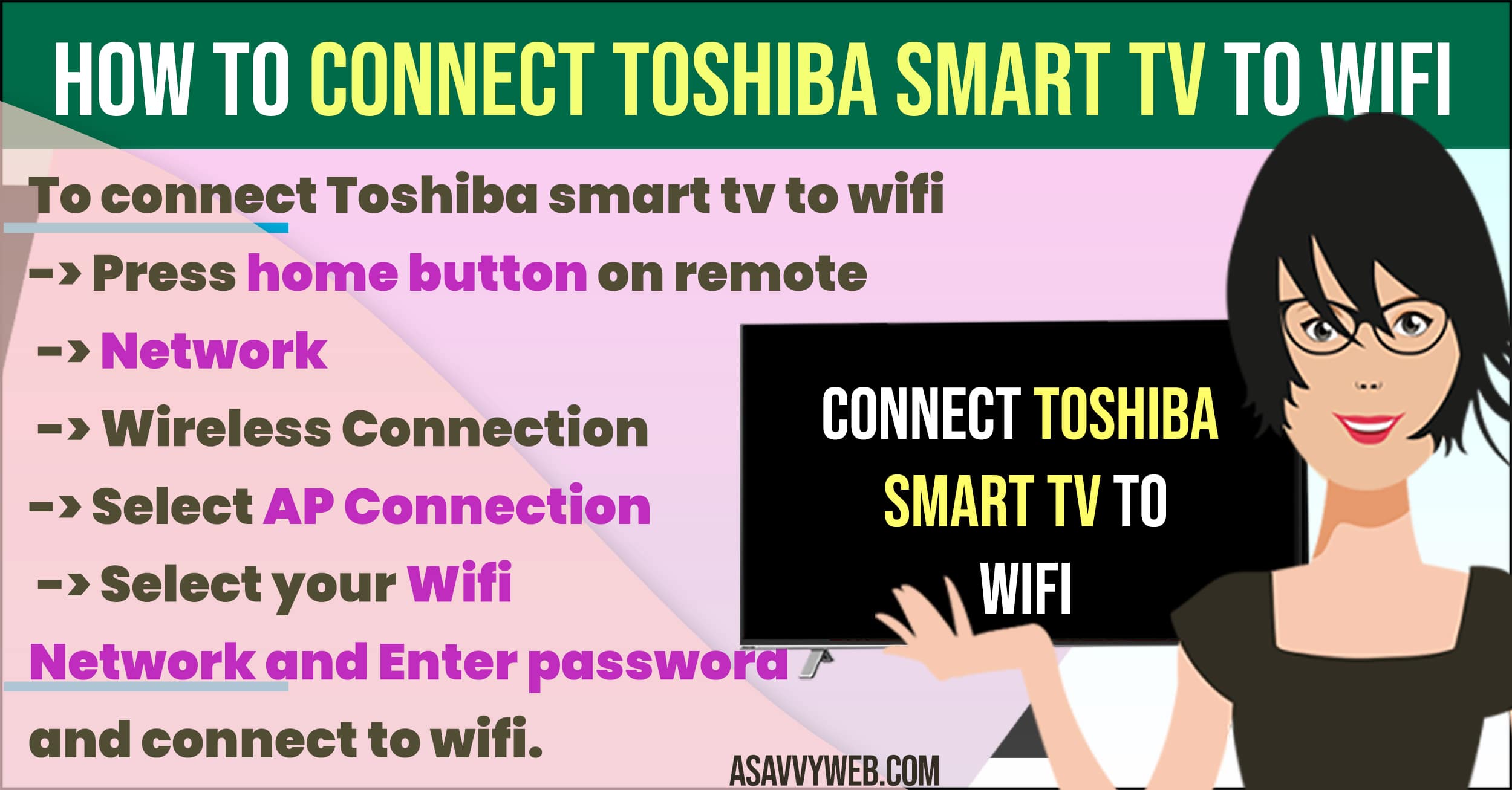
For Toshiba Fire TV Edition
- Press the Home button and go to Settings.
- Select Network and ensure WiFi is turned ON.
- Select your network name from the list and enter your password.
For Toshiba Android/Google TV
- Go to Settings > Network & Internet.
- Toggle the WiFi switch to ON.
- Select your SSID and type in your security key.
Verified Fixes for “Connected but No Internet”
Method 1: The 60-Second Power Reset
This is the #1 fix for a TV that can’t find your WiFi name or keeps dropping the connection.
- Unplug the TV from the wall while it is turned ON.
- Hold the Physical Power Button on the TV chassis for 30 seconds.
- Plug it back in and try connecting.
Why it works: This drains the “ghost data” from the WiFi module, forcing it to start a brand-new scan for signals.
Method 2: Sync Date and Time (The SSL Fix)
If you are connected but apps like Netflix or YouTube won’t open, your TV’s clock is likely wrong.
- Go to Settings > System > Time & Date.
- Ensure Set Automatically is turned ON.
Simple Logic: If your TV thinks it is 2022, but the internet knows it is 2026, the security “handshake” will fail, and apps will be blocked.
Method 3: Manual DNS Override
If the TV says “Connected” but you have no internet access, your ISP’s DNS is likely failing.
- Go to your WiFi settings and select Advanced / Edit.
- Change DNS 1 to 8.8.8.8 (Google DNS).
- Save and restart the TV.
Method 4: Switching to 2.4GHz Band
Toshiba TVs sometimes struggle with the “5GHz” band if the router is in a different room.
- If your router has two names (e.g., Home_2.4 and Home_5), choose the 2.4GHz option.
Why: The 2.4GHz signal is much better at passing through walls, which prevents the “Connection Timed Out” error.
Also Read:
1) How to Fix Toshiba Fire tv Stuck on Loading Screen
2) How to Install Fox Now on Toshiba Smart TV
3) How to Clear App Cache and Clear All Data on Toshiba Smart TV
4) How to Screen Mirror on Toshiba Smart tv and Cast Mobile to Toshiba Smart TV
5) How to Reset Toshiba Smart tv to Factory Default Settings
4. Expert FAQ (Swapna Reddy’s Tips)
Q: Why does my Toshiba TV say “WiFi Turned Off”?
A: This is a hardware glitch. The TV tried to wake up the WiFi chip, but it didn’t respond. Try Method 1 immediately. If that fails, the internal WiFi ribbon cable might be loose.
Q: Can I fix the “Connected but No Apps” issue without a reset?
A: Usually, yes. Try Method 2 (Time Sync) first. 90% of the time, fixing the clock instantly restores access to all your apps.
Q: Does my Toshiba TV support WPA3 security?
A: Most Toshiba models made before 2023 only support WPA2. If your router is set to “WPA3 Only,” your TV will never be able to connect. Change your router settings to WPA2/WPA3 Mixed Mode.